A 40-truck regional fleet gets two applications over the weekend. One driver wants every weekend at home, and the fleet’s best lanes run through Saturday. The other holds the right endorsements but lives 600 miles from the terminal.
The owner, who also runs safety, has sat through plenty of truck driver recruiting software demos. Most were about forms, reminders, and tracking, and none of it added a single new applicant to Monday’s list.
This guide covers what truck driver recruiting software should do for fleets of 1 to 500 trucks hiring CDL-A drivers, with a must-have features table and a way to test any tool before you sign. It is written for owners, recruiters, and owner-operators adding trucks.
| TL;DR 1. Truck driver recruiting software helps a carrier find CDL-A driver profiles, judge fit, and organize its own hiring steps. 2. Fleets with 1 to 500 trucks often deal with scarcity, so test access to relevant profiles first and workflow extras second. 3. Eight features matter most. The table below turns each one into a question to ask a vendor. 4. Judge any tool against your last three drivers who stayed, not against a feature list. |
What is truck driver recruiting software, and what do small fleets need from it?
Truck driver recruiting software is a set of online tools a carrier uses to find CDL-A drivers, judge whether they fit the fleet, and manage the steps that lead to a hire. Some tools focus on reaching drivers, others on workflow once drivers apply, and many blend the two.
Know which problem you are paying to solve:
- A workflow tool assumes applications are already coming in.
- A tool built around access assumes your first problem is finding relevant profiles at all.
Fleets with 1 to 500 trucks often run lean, with one person covering recruiting alongside safety or dispatch. For them, access to relevant CDL-A driver profiles comes first and paperwork second.
What are the 8 must-have features in truck driver recruiting software?
Start with three: access to relevant CDL-A driver profiles, filters built around your lanes, and match scores you can read. Five supporting features, from driver contact to mobile use, decide whether the tool stays useful day to day. The table turns each one into a question for the vendor.
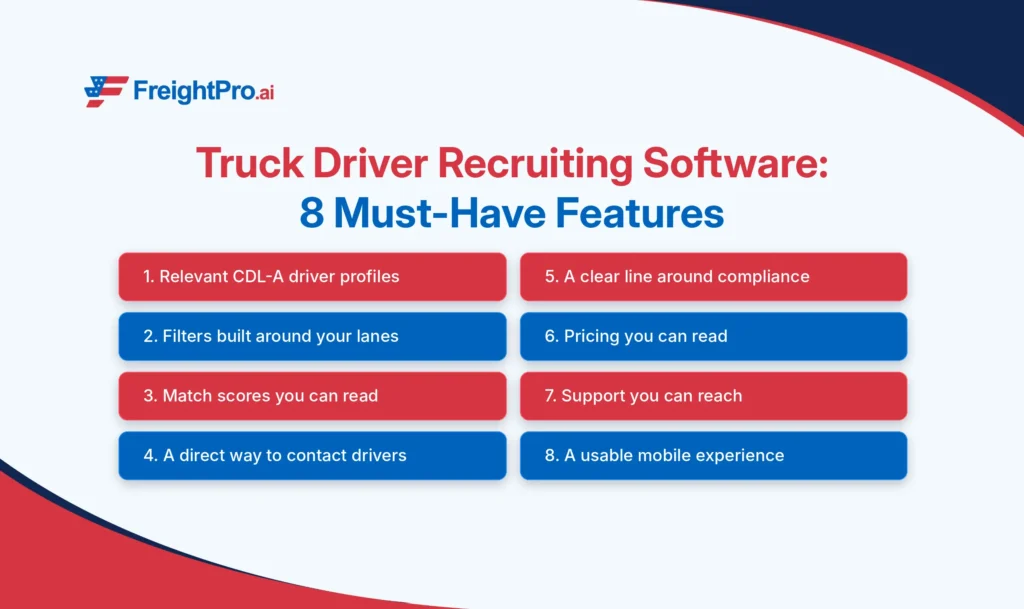
The must-have features are access to relevant CDL-A driver profiles, filters built around your lanes, match scoring you can read, a direct way to contact drivers, a clear line around compliance, readable pricing, reachable support, and a usable mobile experience.
| # | Feature | What good looks like | Ask the vendor |
| 1 | Relevant CDL-A driver profiles | Profiles from active drivers, with experience, endorsements, equipment, and run type filled in | How recently have these drivers used the platform, and what does each profile show me? |
| 2 | Filters built around your lanes | Filter by experience, endorsements, equipment, run type, home time, pay, and location | Can I filter on the exact mix my lanes need? |
| 3 | Match scoring you can read | A score tied to your criteria that shows why a profile ranks where it does | Which criteria drive the score, and can I change them? |
| 4 | Direct driver contact | A clear way to reach a driver, with honest expectations: drivers may be on the road | How do I reach a driver, and what happens when nobody answers? |
| 5 | A clear line around compliance | The tool states which steps it supports. MVR, PSP, and Clearinghouse queries stay your steps as the employer | Which compliance steps, if any, does the tool perform for me? |
| 6 | Pricing you can read | Published plan tiers and terms, with no surprise add-ons | What is the total cost for my fleet size, and how long is the contract? |
| 7 | Support you can reach | Named channels and stated hours | Who answers when something breaks, and when? |
| 8 | Works on a phone | Recruiters and drivers both live on their phones at the terminal and at truck stops | Can I run a full day of recruiting from my phone? |
What does a driver who does not fit actually cost a small fleet?
A driver who does not match your lanes, equipment, or home-time setup costs the fleet in three places. ATRI’s 2026 operational costs report gives you a baseline for the first one: average driver wages and benefits of $1.028 per mile in 2025.
- Compensation paid during a poor match.
- An idle truck when the driver leaves.
- Recruiting work that starts over.
Example: one mis-hire on a 2,500-mile week. The $1.028 is ATRI’s 2025 industry average. The 2,500 miles and six weeks are illustrative assumptions, so swap in your own numbers.
| Line | Math | Result |
| Compensation at the ATRI average | 2,500 miles × $1.028 | $2,570 per week |
| Six weeks before the driver leaves | 6 × $2,570 | $15,420 |
| Revenue not earned while the truck sits idle | Your miles × your revenue per mile × idle weeks | Your number |
| Recruiting work that starts over | Your hours and costs | Your number |
Use the math to justify checking fit before the first call. A recruiting tool earns its price when each call starts from a reasonable match.
How can I tell whether a recruiting tool shows profiles that fit my fleet?
Run your three best past hires through the tool. Enter each driver’s experience, endorsements, equipment, run type, and home-time needs as filters, then check whether profiles like them appear and how closely the results match your criteria. If the tool cannot surface drivers like the ones who stayed, it will struggle to find new ones.
Use this five-step test during any trial or vendor call:
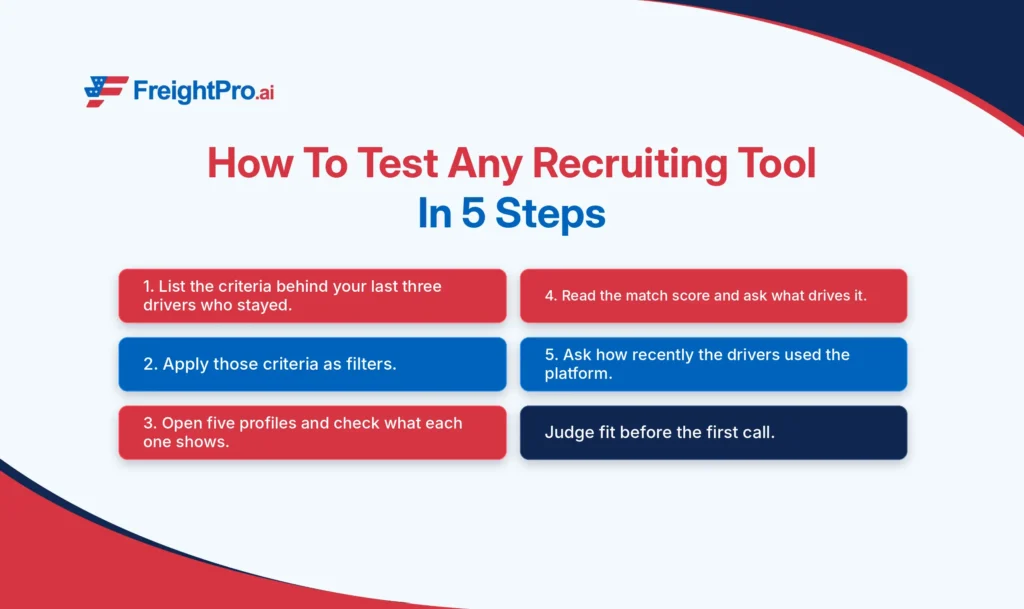
- Write down the criteria behind your last three drivers who stayed past 90 days: run type, equipment, endorsements, home time, and pay range.
- Apply those as filters and note how many relevant profiles appear in your region.
- Open five profiles and check what each one shows: experience, endorsements, equipment, run type, pay, and home-time expectations.
- Look at the match score, if the tool has one, and ask what drives it.
- Ask how recently the drivers behind those profiles used the platform.
A thin profile is a red flag. If you cannot judge fit from the profile, the phone call becomes your first look at the driver, and a recruiter with limited hours cannot afford that.
How do I compare recruiting software options, and what can a small fleet skip?
Score each option against the same eight features, weighted toward the three that matter most when applications are limited. Relevant profiles, lane filters, and readable match scores carry 65 of 100 points, because a tool that cannot show you drivers who fit gives the other features nothing to work with.
| Feature | Weight | How to score it |
| Relevant CDL-A driver profiles | 30 | Run the five-step test above and count profiles that fit your last three good hires |
| Filters built around your lanes | 20 | Can you filter on every criterion that mattered in those hires? |
| Match scoring you can read | 15 | Does the score explain itself, and does it agree with your own judgment? |
| Direct driver contact | 10 | Is the route clear, and are expectations honest? |
| A clear line around compliance | 10 | Is the vendor specific about what it does and does not do? |
| Pricing, support, and mobile | 15 | Five points each: published terms, reachable people, a usable phone experience |
Score two or three options, then compare totals. A close call usually comes down to row 1, so rerun the five-step test with a different set of lane criteria. Then check what you can leave out at the start:
- Multi-terminal workflows.
- Enterprise reporting suites.
- Heavy automation built for large recruiting teams.
For each extra, ask whether you would use it in the next 90 days. If the answer is no, it is a cost, not a benefit.
What should I measure after choosing a truck driver recruiting platform?
Track four numbers every quarter, counted the same way each time. Together they show whether the tool is improving fit rather than just adding activity, which is the standard that matters for a fleet with limited applications and a truck waiting on the right driver:
- Relevant profiles reviewed for each driver hired.
- Calls that reach a driver.
- Drivers still with the fleet at 90 days.
- Total recruiting cost per hire.
Write down a baseline before the first month, even if you have never tracked these. Review after a full quarter, not a week: one early exit or one unanswered call says little.
How Does FreightPro Work as a CDL Driver Recruiting Platform?
FreightPro is a CDL driver recruiting platform that gives carriers access to qualified, relevant CDL-A driver profiles through AI-powered matching, backed by our human team. With 120K+ CDL-A drivers on FreightPro and 25+ AI match criteria, the focus is on how well a profile fits your fleet.
Here is how it works for a carrier:
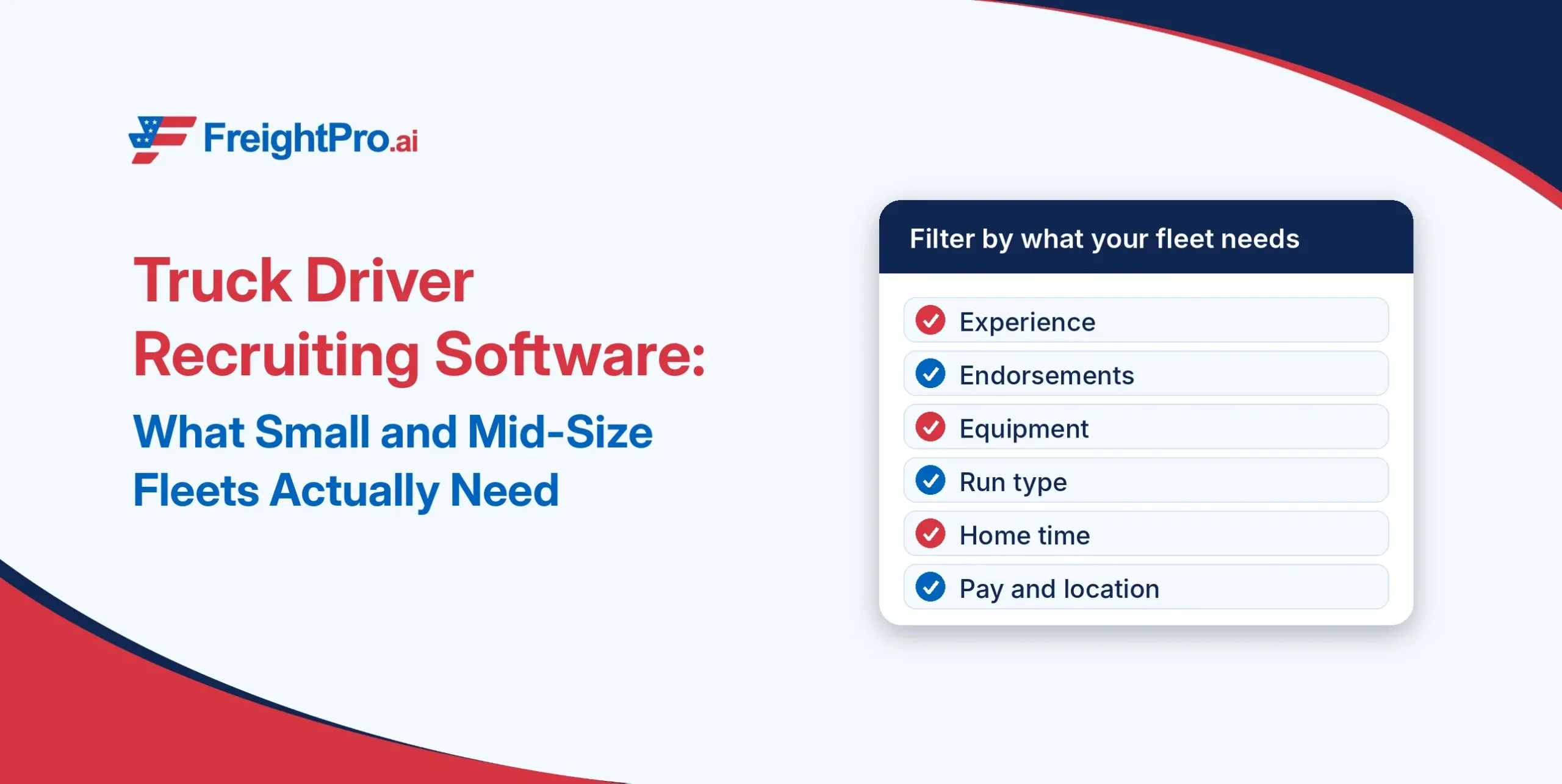
- Sign up and filter by what your fleet needs: experience, endorsements, equipment, run type, home time, pay, and location.
- See relevant CDL-A driver profiles ranked by AI match, each with a match score percentage.
- When a profile looks like a fit, unlock it to get the driver’s phone number, then call. Drivers may be on the road or hauling, so plan for a callback.
Drivers are on FreightPro for more than a job search. They use it for jobs, truck-focused navigation, and community.
The checks that belong to you as the employer, including MVR, PSP, and Clearinghouse queries, remain your responsibility. FreightPro covers the part this guide spends most of its time on: finding relevant CDL-A driver profiles to start from.
Questions about whether FreightPro fits your lanes or fleet size? Contact Us and our team can step in.

Frequently asked questions
1. Can a fleet with fewer than 20 trucks get value from truck driver recruiting software?
Yes, if the tool gives you access to relevant CDL-A driver profiles at a price that fits your hiring pace. A fleet that adds a few drivers a year should test whether profiles match its lanes, equipment, and home time before paying for anything else.
2. Does truck driver recruiting software run MVR, PSP, or Clearinghouse checks for me?
No, not by default. Those checks are your responsibility as the employer, and a tool that provides driver profiles does not replace them. If a vendor says it handles any compliance step, get the exact scope in writing and confirm with your compliance counsel or FMCSA.
3. Can I use recruiting software if I only hire CDL-A drivers for one run type, like dedicated lanes?
Yes. Filters on run type, equipment, home time, and endorsements let you narrow profiles to dedicated, regional, or OTR work. The narrower your lane, the more it pays to test whether the software can filter on your exact mix before you commit to a plan.
4. Do I need recruiting software if I already get applications?
Maybe not. If applications already arrive and the limit is paperwork, a workflow tool may be enough. If few applications arrive and fewer fit, add a tool that widens access to relevant CDL-A driver profiles, then test fit with your last three drivers who stayed.
5. I’m an owner-operator adding my first trucks. Do I need driver recruiting software?
Not necessarily on day one. If you are adding one or two trucks, a platform that lets you filter CDL-A driver profiles by your lanes and equipment may be enough. Add workflow tools only when you are juggling several conversations at once and tracking them by hand becomes the problem.
6. Can recruiting software reduce driver turnover?
It can help you start from a better fit, but it cannot fix pay, home time, or equipment. Matching on run type, home-time needs, and pay expectations before the first call reduces avoidable mismatches. Retention after the hire still depends on how the fleet treats its drivers.
7. Will drivers answer when I call from a recruiting platform?
Not always. Drivers may be driving, hauling, or off duty when you call, so plan for a callback and leave a clear message with your fleet name, lane, and pay range. Relevant profiles raise the odds of a useful conversation, but no tool can promise a response.